
QR & Barcode Scanner
Gamma PlayTools
4.862.97K Reviews
- Version
- Varies With Device
- Installs
- 500.00M
- Age Rating
- Everyone
Screenshots
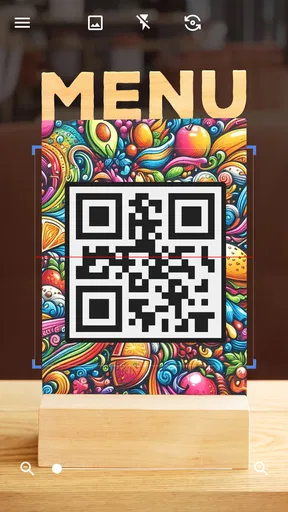
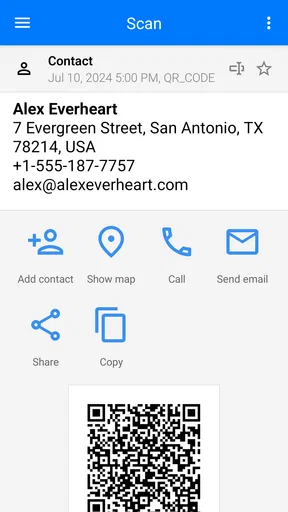
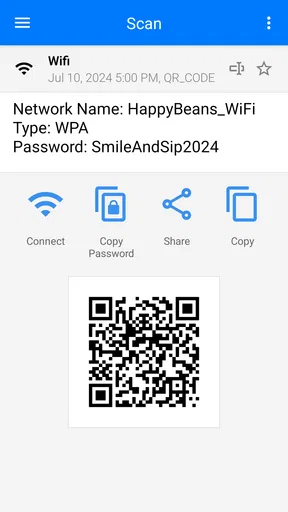
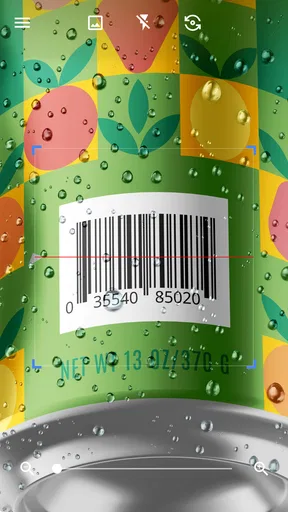
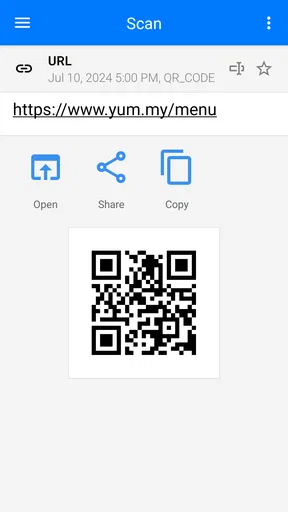
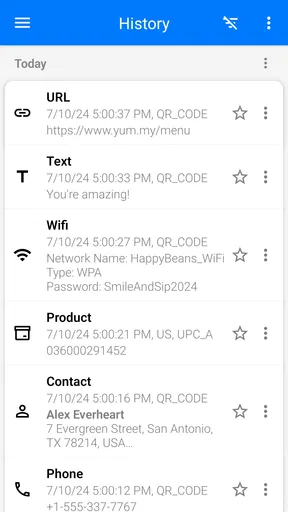
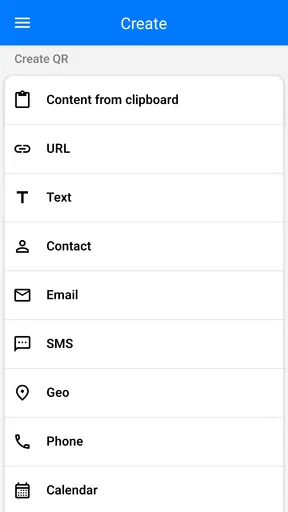
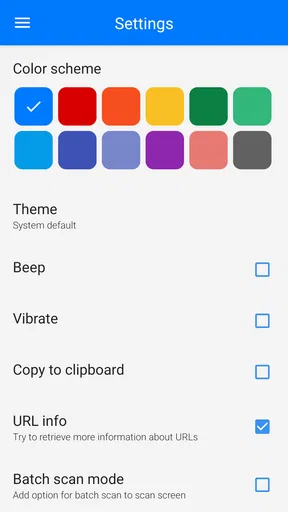
Our Review of QR & Barcode Scanner
 Analysis by Appyee
If you've ever found yourself fumbling to quickly scan a QR code or a barcode, then you're probably in the market for a solid scanner app. Enter the QR & Barcode Scanner, a nifty tool that promises to make scanning codes a breeze. After giving it a whirl, I’ve got some thoughts to share.
Getting Started with QR & Barcode Scanner
Installing the QR & Barcode Scanner is a cinch. Just a quick download from the App Store or Google Play, and you're ready to roll. The app is lightweight, which means it won’t hog your phone’s storage. Once you open it up, the interface is pretty straightforward—no frills, no fuss. Just point and shoot.
Features that Stand Out
One of the coolest things about this app is its versatility. It’s not just about scanning QR codes; it handles all sorts of barcodes too. Whether it’s a product barcode, ISBN number, or a URL in QR form, this app has you covered. The scanning process is swift and accurate, which is a huge plus when you're in a hurry.
Additionally, the app saves your scan history. So, if you ever need to revisit that website link or product info, it's right there at your fingertips. Talk about a handy feature!
User Experience
Using the app feels intuitive. The camera opens up quickly, and there’s no lag, which is often a pitfall in similar apps. I also appreciated the ability to toggle the flashlight on and off directly from the scanning screen—a lifesaver in low-light situations.
The app supports sharing scanned results via email, messaging apps, or social media, which is perfect when you need to share information swiftly with friends or colleagues.
Privacy and Security
In an age where privacy is paramount, it’s reassuring to know that the QR & Barcode Scanner doesn’t require unnecessary permissions. It only asks for access to your camera, which is crucial for its primary function. No sneaky data collection here!
Final Thoughts
All in all, the QR & Barcode Scanner is a reliable app that gets the job done. Whether you're a frequent QR code user or just need a dependable scanner for occasional use, this app delivers efficiency and ease. It's one of those tools that, once you start using, you wonder how you ever managed without it. Give it a shot, and you might just find it becoming a staple on your phone.
So, next time you're faced with a QR code or barcode, you know exactly which app to turn to. Happy scanning!
Privacy and Permissions
See what permissions an app requests and how it handles your data.
- Photos/Media/Files
- read the contents of your USB storage, modify or delete the contents of your USB storage
- Storage
- read the contents of your USB storage, modify or delete the contents of your USB storage
- Camera
- take pictures and videos
- Wi-Fi connection information
- view Wi-Fi connections
- Other
- view network connections, allow Wi-Fi Multicast reception, connect and disconnect from Wi-Fi, control flashlight, full network access, control vibration, prevent device from sleeping
Verdict
Strengths of QR & Barcode Scanner
- Fast scanning with minimal lag.
- Supports multiple barcode formats.
- User-friendly interface design.
- No excessive permissions required.
- Works offline effectively.
Limitations of QR & Barcode Scanner
- Ads can be intrusive at times.
- Lacks advanced customization options.
- Occasional misreads in low light.
- No direct cloud integration.
- Limited customer support options.
Other Releases by Gamma Play
View All
Video Downloader - without ads
Video Players & Editors4.6
Similar Picks in This Category
View All
Google LLC4.0

Gboard - the Google Keyboard
Google LLC4.5

Google Play services
Google LLC4.3

Google Play Store
Google LLC4.9

Files by Google
Google LLC4.5

SHAREit: Transfer, Share Files
Smart Media4U Technology Pte.Ltd.4.3
You May Also Like
View All

Frequently Asked Questions
What features does the QR & Barcode Scanner offer?
The QR & Barcode Scanner app provides fast scanning capabilities for both QR codes and barcodes. It supports multiple formats, including text, URL, ISBN, product, contact, calendar, email, location, and Wi-Fi. The app also offers features like scan history, flashlight support for low-light environments, and the ability to create your own QR codes.
Is the QR & Barcode Scanner app safe to use?
Yes, the QR & Barcode Scanner app prioritizes user safety by ensuring that scanned links are checked for malicious content. It doesn’t automatically open URLs without your permission, providing an additional layer of security. The app requires minimal permissions to operate, focusing on user privacy and data protection.
Does the QR & Barcode Scanner app work offline?
The app can scan and decode QR codes and barcodes without an internet connection. However, accessing certain content or services linked to the codes, such as URLs or cloud-based services, will require an active internet connection. This makes it convenient for use in areas with limited connectivity.
How user-friendly is the QR & Barcode Scanner for beginners?
The QR & Barcode Scanner app is designed with a simple and intuitive interface, making it easy for beginners to navigate. Users can scan codes by simply pointing the camera, and the app automatically recognizes and processes the information. The on-screen instructions and tips help guide new users through the scanning process.
Does the app support multiple languages?
Yes, the QR & Barcode Scanner app supports multiple languages, making it accessible to a global audience. This feature ensures that users from different regions can navigate and use the app comfortably. Language settings can be adjusted within the app’s settings menu to suit user preferences.
